
Designer tab
The Designer tab is used to build and visualize the calculation process in the regime. (When you open a regime, it opens with the Designer tab selected.) The tab has three panels:
- The Settings panel is used to specify regime settings (see Settings).
- The canvas is used to create and manage the calculation modules (see Canvas).
- The Modules panel allows you to search for modules and to specify which modules can be ringfenced (see Modules).
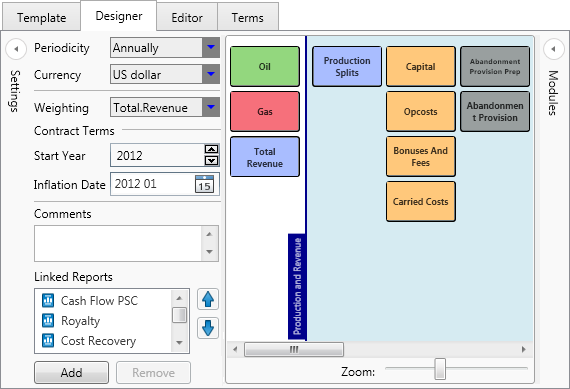
You can collapse panels to free up screen space by clicking the collapse/expand buttons  .
.
When the Designer tab is selected, the Designer buttons tab is visible on the ribbon (see Designer).